Back

Beyond the bookshelves: rethinking the role of secondary school libraries in 2025 

3 October 2025

Rachel Reeves’ recent pledge to ensure every primary school in England has a library by the end of this parliament is a landmark moment for literacy and equity. With 1,700 primaries currently without libraries, this initiative rightly targets a critical gap in early education. But it also raises an important question for those of us working in secondary education: what about secondary schools? 

Why not secondary schools too? 

While primary schools are getting attention, secondary schools are often assumed to already have functioning libraries, but many of these spaces are underfunded, underused, or outdated. In some cases, they’ve been repurposed entirely. The truth is, secondary school libraries need just as much vision and investment — not just to exist, but to thrive. 

A digital vision that didn’t quite land 

Dave Hillyard, a school leader with a bold digital strategy, once proposed transforming the school library into a fully digital space — replacing physical books with e-readers and audiobooks. While the idea was innovative, it didn’t materialise and as he concludes himself, that was for the best. 

Why? Because libraries are more than just repositories of content. They’re spaces for discovery, reflection, independent learning, but also community. A purely digital library risks losing not only the tactile experience but also a more contemporary, collective learning space replacing the silence with the fizz of collaboration. 

So, what is the purpose of a secondary school library in 2025? 

In today’s educational landscape, the secondary school library should be: 

  • A subject-specific resource hub: not just fiction and generic non-fiction, but shelves curated by subject leaders with up-to-date, engaging reads that extend classroom learning. 
  • A sanctuary: a place for students to study, read, or simply decompress — especially important for those without such spaces at home. Put some snacks in there. 
  • A digital-literacy centre: offering access to research databases, digital tools, and media literacy resources. “Maker spaces”, tech labs, group work areas, virtual and augmented reality. 
  • A place to discover artefacts. melding the concept of a museum, attraction and library together. How about a big fish tank to exemplify biological eco-systems? 
  • A collaborative, flexible learning space: hosting clubs, debates, academics, authors and interdisciplinary projects. Encouraging discussion, teamwork, and peer-to-peer teaching. 
  • A place to be inspired by pioneers: have displays of famous people from each subject discipline with a real focus on the contribution of women and ethnic minorities to the field. 

Who owns the library? 

Too often, the library is seen as someone else’s responsibility. But we argue that every Head of Subject should take ownership of their corner of the library. Fill it with: 

  • Inspiring biographies relevant to your subject. 
  • Accessible texts for all reading levels. 
  • The latest books that challenge, provoke, and excite. 
  • Magazines. 

Budgeting for books: make it personal 

Why not allocate a portion of each department’s budget to their section of the library? Let students know that these books were chosen for them, by their teachers. Make it special. Make it visible. Make it matter. 

Here are some fresh ways teachers can make the most of the library space: 

  • Subject spotlight weeks: Rotate displays and reading lists based on curriculum themes. 
  • Curriculum-linked reading challenges: Encourage students to read beyond the textbook and earn recognition. 
  • Teacher-curated reading walls: Share the books in the library on wall displays in the classroom, bringing the two spaces together. 

Final Thought 

Rachel Reeves’ commitment to primary school libraries is a powerful statement of values. Let’s echo that in secondary schools — not just by maintaining libraries, but by reimagining them. In 2025, the library should be a living, breathing part of the school’s intellectual and cultural life. Let’s not wait for a government initiative. Let’s lead it ourselves. 

Related posts

How does optical disc burning work?

Discover what really happens when you “burn” a CD or DVD—it’s not fire, it’s a laser precisely encoding your data onto the disc. From pits and lands to rewritable mood-ring discs, here’s how your files get stored.

14 August 2026

What is a VPN?

Ever wondered how a VPN really works? Think of it as a clever middleman that keeps your online activity private and your data safe.

12 August 2026

Should parents be sharing your life on social media?

“Sharenting”—where parents share their children’s lives online—might seem harmless, but it comes with risks like identity theft, cyberbullying, and impacts on self-esteem. Learn how families can share responsibly while keeping kids’ privacy safe.

10 August 2026

What Is Concurrency in Computing?

Concurrency is the clever trick your computer uses to juggle multiple tasks at once—without actually doing them simultaneously.
From web pages to deadlocks, discover how this behind-the-scenes magic keeps your digital world running (mostly) smoothly.

7 August 2026

Why are silicon wafers round when chips are square?

Ever wondered why silicon wafers are round when everything they power is square? It’s all down to the way we grow and slice silicon — a fascinating mix of physics, efficiency, and a touch of irony.

5 August 2026

What Is the Best Material for a Smartphone?

Your smartphone isn’t made from one perfect material — it’s a carefully engineered compromise of plastic, metal, glass, and ceramic. Each choice solves a problem… and creates another.

3 August 2026

AI torrenting may not be so legal after all

AI training is facing a legal reality check as courts draw the line between fair use and copyright infringement. We look at why data provenance and licensing are now critical in modern AI development.

31 July 2026

Why are LEDs so efficient?

Ever wondered why LEDs use so little energy? Discover how semiconductors create light directly, using far less energy and heat than traditional light bulbs.

29 July 2026

Why Pixar still chooses CPUs over GPUs

Pixar still relies on CPUs for their final film renders — not because they’re faster, but because accuracy beats speed when every photon counts. Discover why GPUs, despite their power, aren’t perfect for cinematic-quality frames.

Back

Why Should I Care About GDPR?

Because Your Data Isn’t a Game of Pass-the-Parcel

30 September 2025

Let’s face it, GDPR doesn’t sound like the most thrilling topic. But if you’ve ever wondered what happens to your personal information after you sign up to a website or click “I accept” on a cookie banner, the General Data Protection Regulation might just be your new best friend.

Introduced by the EU, GDPR is essentially a set of rules telling companies: stop hoarding user data like dragons with a spreadsheet addiction. It gives you rights—real, enforceable rights—over your personal information.

What does GDPR actually do for you?

  • Right to be forgotten – You can ask a company to delete your data.
  • Right of access – You can find out exactly what information a company holds on you (even if it’s just confirming your weakness for online sales).
  • Right to know about breaches – If your data leaks, they have to tell you. No more shady silence while your details end up in the wrong hands.

And if they don’t play by the rules?

Companies face serious fines—we’re talking €20 million or 4% of their annual global turnover, whichever is higher. That’s not something you can brush off with a few coins from under a billionaire’s sofa cushion.

But what about those annoying cookie pop-ups?

Yes, those are part of GDPR too. Unfortunately, some companies make rejecting tracking more complicated than assembling flat-pack furniture. It’s compliance—just not the user-friendly kind.

And here’s a curveball: if a government demands your data, companies might not be allowed to tell you. That’s where confidentiality notices come in—forcing silence and keeping you in the dark.

So… should you care?

Absolutely. GDPR gives you power in a world where data is currency. If you want even a sliver of control over how your personal details are used, GDPR is a pretty big deal.

🎥 Want to dive deeper? Watch the full video on our YouTube channel, where the Craig’n’Dave Lesson Hacker breaks it down.

🌐 Looking for more computer science content? Explore our resources at Craig’n’Dave

Related posts

How does optical disc burning work?

Discover what really happens when you “burn” a CD or DVD—it’s not fire, it’s a laser precisely encoding your data onto the disc. From pits and lands to rewritable mood-ring discs, here’s how your files get stored.

14 August 2026

What is a VPN?

Ever wondered how a VPN really works? Think of it as a clever middleman that keeps your online activity private and your data safe.

12 August 2026

Should parents be sharing your life on social media?

“Sharenting”—where parents share their children’s lives online—might seem harmless, but it comes with risks like identity theft, cyberbullying, and impacts on self-esteem. Learn how families can share responsibly while keeping kids’ privacy safe.

10 August 2026

What Is Concurrency in Computing?

Concurrency is the clever trick your computer uses to juggle multiple tasks at once—without actually doing them simultaneously.
From web pages to deadlocks, discover how this behind-the-scenes magic keeps your digital world running (mostly) smoothly.

7 August 2026

Why are silicon wafers round when chips are square?

Ever wondered why silicon wafers are round when everything they power is square? It’s all down to the way we grow and slice silicon — a fascinating mix of physics, efficiency, and a touch of irony.

5 August 2026

What Is the Best Material for a Smartphone?

Your smartphone isn’t made from one perfect material — it’s a carefully engineered compromise of plastic, metal, glass, and ceramic. Each choice solves a problem… and creates another.

3 August 2026

AI torrenting may not be so legal after all

AI training is facing a legal reality check as courts draw the line between fair use and copyright infringement. We look at why data provenance and licensing are now critical in modern AI development.

31 July 2026

Why are LEDs so efficient?

Ever wondered why LEDs use so little energy? Discover how semiconductors create light directly, using far less energy and heat than traditional light bulbs.

29 July 2026

Why Pixar still chooses CPUs over GPUs

Pixar still relies on CPUs for their final film renders — not because they’re faster, but because accuracy beats speed when every photon counts. Discover why GPUs, despite their power, aren’t perfect for cinematic-quality frames.

Back

How does blockchain work?

Unpacking blockchain in simple terms

30 September 2025

You’ve probably heard of blockchain in the news or while discussing cryptocurrency. But what exactly is it? It sounds complicated, but at its core, blockchain is just a digital ledger that everyone can access but no one can tamper with. Imagine a game of Monopoly with your friends, but instead of a single banker, everyone keeps their own records. Sounds a bit strange, right? Let’s break it down.

What is blockchain? Think of it like a giant ledger

Let’s say you and your mates are playing Monopoly, but this time, instead of trusting one person to hold the bank, everyone keeps a copy of the transaction records. If someone buys Mayfair or lands on Free Parking, everyone checks their own record. Only if everyone agrees does the transaction get added to the official list. And once it’s added, it’s permanent—no going back.

This process is essentially what happens in blockchain. It’s a decentralised ledger that records transactions across many computers, rather than relying on a single authority. This makes blockchain secure and transparent because no one person or entity controls it.

The role of cryptography in blockchain: Solving puzzles for security

Now, it gets a bit more technical. Blockchain transactions are verified through cryptographic puzzles. Imagine trying to solve a Rubik’s Cube blindfolded. It’s tough, right? Well, in blockchain, a network of computers works nonstop to crack these complex puzzles. The first computer to solve the puzzle gets rewarded with cryptocurrency, like Bitcoin. This process is known as mining.

It’s not just a game of solving puzzles though—this system keeps transactions secure and ensures that no one can cheat or alter the records.

Why is blockchain important? It’s more than just Crypto

You might think of cryptocurrency when you hear the word blockchain, but it’s more than just digital money. Blockchain is revolutionising industries beyond finance. It’s being used in everything from supply chain tracking to securing medical records. However, it’s also a bit chaotic—while some people use it for buying things online, others treat it as a speculative investment, hoping to get rich quick.

Blockchain in a nutshell

So, next time you hear someone trying to explain blockchain with a thick whitepaper, just remember: It’s like a global game of Monopoly where no one trusts the banker, transactions are visible to everyone, and some people are trying to make a quick buck.

To learn more about blockchain and how it works, check out our full video. 

For more resources on computer science, be sure to visit the Craig’n’Dave website.

Related posts

How does optical disc burning work?

Discover what really happens when you “burn” a CD or DVD—it’s not fire, it’s a laser precisely encoding your data onto the disc. From pits and lands to rewritable mood-ring discs, here’s how your files get stored.

14 August 2026

What is a VPN?

Ever wondered how a VPN really works? Think of it as a clever middleman that keeps your online activity private and your data safe.

12 August 2026

Should parents be sharing your life on social media?

“Sharenting”—where parents share their children’s lives online—might seem harmless, but it comes with risks like identity theft, cyberbullying, and impacts on self-esteem. Learn how families can share responsibly while keeping kids’ privacy safe.

10 August 2026

What Is Concurrency in Computing?

Concurrency is the clever trick your computer uses to juggle multiple tasks at once—without actually doing them simultaneously.
From web pages to deadlocks, discover how this behind-the-scenes magic keeps your digital world running (mostly) smoothly.

7 August 2026

Why are silicon wafers round when chips are square?

Ever wondered why silicon wafers are round when everything they power is square? It’s all down to the way we grow and slice silicon — a fascinating mix of physics, efficiency, and a touch of irony.

5 August 2026

What Is the Best Material for a Smartphone?

Your smartphone isn’t made from one perfect material — it’s a carefully engineered compromise of plastic, metal, glass, and ceramic. Each choice solves a problem… and creates another.

3 August 2026

AI torrenting may not be so legal after all

AI training is facing a legal reality check as courts draw the line between fair use and copyright infringement. We look at why data provenance and licensing are now critical in modern AI development.

31 July 2026

Why are LEDs so efficient?

Ever wondered why LEDs use so little energy? Discover how semiconductors create light directly, using far less energy and heat than traditional light bulbs.

29 July 2026

Why Pixar still chooses CPUs over GPUs

Pixar still relies on CPUs for their final film renders — not because they’re faster, but because accuracy beats speed when every photon counts. Discover why GPUs, despite their power, aren’t perfect for cinematic-quality frames.

Back

What is an API?

APIs explained: the digital menu your code’s been waiting for

30 September 2025

What is an API?

If you’ve finally mastered loops, arrays, and surviving the classroom Java-vs-Python debate, you might feel ready to take on the coding world. But then along comes a new acronym: API. Don’t panic. You’re not alone if your first reaction was, “Another one? Really?”

API = Application Programming Interface

Yes, it sounds like something out of a dry tech conference, but APIs are anything but boring. Imagine you’re at a restaurant. The menu? That’s your API. It tells you what you can request. You don’t need to know what’s happening behind the kitchen doors—you just place an order and get your food (hopefully not burnt).

In coding terms, you’re the customer, the kitchen is a remote service (like Spotify or Reddit), and the waiter carrying your request back and forth is the API. You simply ask: “Give me the top 10 cat videos,” and voilà—the internet delivers.

Why should you care?

APIs let apps and websites talk to each other without getting too personal. It’s like texting a mate “Pizza?” rather than calling and ending up in a 45-minute chat about their nan’s budgie. APIs keep it short, efficient, and to the point.

They’re everywhere—from grabbing weather data to logging in via Google. And the best part? You don’t have to understand how the service works under the hood. You just point at the menu and say, “That one, please.”


APIs are the go-betweens that help your code work smarter, not harder. They’re your ticket to building powerful, connected apps without needing to know every detail of how other systems work.

Want to dive deeper into API’s? Watch the full video here

Want to learn more about computer science and the latest tech trends?

Visit our website Craig’n’Dave for all the latest resources and insights.

Related posts

How does optical disc burning work?

Discover what really happens when you “burn” a CD or DVD—it’s not fire, it’s a laser precisely encoding your data onto the disc. From pits and lands to rewritable mood-ring discs, here’s how your files get stored.

14 August 2026

What is a VPN?

Ever wondered how a VPN really works? Think of it as a clever middleman that keeps your online activity private and your data safe.

12 August 2026

Should parents be sharing your life on social media?

“Sharenting”—where parents share their children’s lives online—might seem harmless, but it comes with risks like identity theft, cyberbullying, and impacts on self-esteem. Learn how families can share responsibly while keeping kids’ privacy safe.

10 August 2026

What Is Concurrency in Computing?

Concurrency is the clever trick your computer uses to juggle multiple tasks at once—without actually doing them simultaneously.
From web pages to deadlocks, discover how this behind-the-scenes magic keeps your digital world running (mostly) smoothly.

7 August 2026

Why are silicon wafers round when chips are square?

Ever wondered why silicon wafers are round when everything they power is square? It’s all down to the way we grow and slice silicon — a fascinating mix of physics, efficiency, and a touch of irony.

5 August 2026

What Is the Best Material for a Smartphone?

Your smartphone isn’t made from one perfect material — it’s a carefully engineered compromise of plastic, metal, glass, and ceramic. Each choice solves a problem… and creates another.

3 August 2026

AI torrenting may not be so legal after all

AI training is facing a legal reality check as courts draw the line between fair use and copyright infringement. We look at why data provenance and licensing are now critical in modern AI development.

31 July 2026

Why are LEDs so efficient?

Ever wondered why LEDs use so little energy? Discover how semiconductors create light directly, using far less energy and heat than traditional light bulbs.

29 July 2026

Why Pixar still chooses CPUs over GPUs

Pixar still relies on CPUs for their final film renders — not because they’re faster, but because accuracy beats speed when every photon counts. Discover why GPUs, despite their power, aren’t perfect for cinematic-quality frames.

Back

What is the RIP Act, and Why should you care?

Understanding the RIP Act: The Snoopers' Charter and its impact on your digital privacy

30 September 2025

The Regulation of Investigatory Powers Act, often referred to as the “Snoopers’ Charter,” is a UK law that grants the government unprecedented powers to monitor, intercept, and retain your digital data. While its stated purpose is national security, its implications for privacy have raised significant concerns. In this blog post, we’ll break down what the RIP Act really means and how it affects your online life.

What powers does the RIP Act grant?

The RIP Act provides the government with three main powers:

  • Interception: The government can access your emails, messages, phone calls, and anything else that’s digital. Essentially, they can eavesdrop on all of your communications.
  • Interference: This goes beyond reading messages. The government is allowed to hack into your devices, meaning they could take control of your laptop, phone, or tablet if necessary.
  • Retention: The government is entitled to retain a year’s worth of data on your online activity. This includes every website you visit, so they can track your digital footprint over time.

Who can access your data?

It’s not just MI5 and law enforcement agencies that have access to your data. Under the RIP Act, other organisations like the Food Standards Agency and the Gambling Commission can also request access. While it may seem odd that these organisations could delve into your browsing history, it highlights the broad scope of the law.

The hidden surveillance

The most concerning aspect of the RIP Act is the secrecy surrounding data requests. If a company is asked to hand over your data, they’re legally prohibited from informing you. This means that if a popular messaging app suddenly experiences an issue with its encryption, it might not be a technical glitch at all. It could be a sign that the app has been forced to comply with a government request—without you ever knowing about it.

Why the controversy?

The government insists that these powers are crucial for national security, but critics argue that the RIP Act is overly intrusive. The European Court of Justice has already ruled that the legislation breaches privacy rights, adding fuel to the debate. As a result, tech companies are scrambling to implement better security measures, while VPN sales are soaring, and end-to-end encryption has become a hot topic.

Is Big Brother watching you?

In short, the RIP Act represents a digital form of Big Brother—tracking and recording your online activities. While it may be framed as a necessary measure for security, the law’s reach has many people worried about the erosion of privacy. But if you’ve ever Googled something you wouldn’t want anyone to know about, rest assured, you’re not alone.

Want to know more?

To get a deeper understanding of the RIP Act and its impact on your privacy, watch our full video.

For more insights into computer science and digital security, visit the Craig’n’Dave website today.


Related posts

How does optical disc burning work?

Discover what really happens when you “burn” a CD or DVD—it’s not fire, it’s a laser precisely encoding your data onto the disc. From pits and lands to rewritable mood-ring discs, here’s how your files get stored.

14 August 2026

What is a VPN?

Ever wondered how a VPN really works? Think of it as a clever middleman that keeps your online activity private and your data safe.

12 August 2026

Should parents be sharing your life on social media?

“Sharenting”—where parents share their children’s lives online—might seem harmless, but it comes with risks like identity theft, cyberbullying, and impacts on self-esteem. Learn how families can share responsibly while keeping kids’ privacy safe.

10 August 2026

What Is Concurrency in Computing?

Concurrency is the clever trick your computer uses to juggle multiple tasks at once—without actually doing them simultaneously.
From web pages to deadlocks, discover how this behind-the-scenes magic keeps your digital world running (mostly) smoothly.

7 August 2026

Why are silicon wafers round when chips are square?

Ever wondered why silicon wafers are round when everything they power is square? It’s all down to the way we grow and slice silicon — a fascinating mix of physics, efficiency, and a touch of irony.

5 August 2026

What Is the Best Material for a Smartphone?

Your smartphone isn’t made from one perfect material — it’s a carefully engineered compromise of plastic, metal, glass, and ceramic. Each choice solves a problem… and creates another.

3 August 2026

AI torrenting may not be so legal after all

AI training is facing a legal reality check as courts draw the line between fair use and copyright infringement. We look at why data provenance and licensing are now critical in modern AI development.

31 July 2026

Why are LEDs so efficient?

Ever wondered why LEDs use so little energy? Discover how semiconductors create light directly, using far less energy and heat than traditional light bulbs.

29 July 2026

Why Pixar still chooses CPUs over GPUs

Pixar still relies on CPUs for their final film renders — not because they’re faster, but because accuracy beats speed when every photon counts. Discover why GPUs, despite their power, aren’t perfect for cinematic-quality frames.

Back

Is Apple in hot water?

Is your data still safe in the UK?

2 September 2025

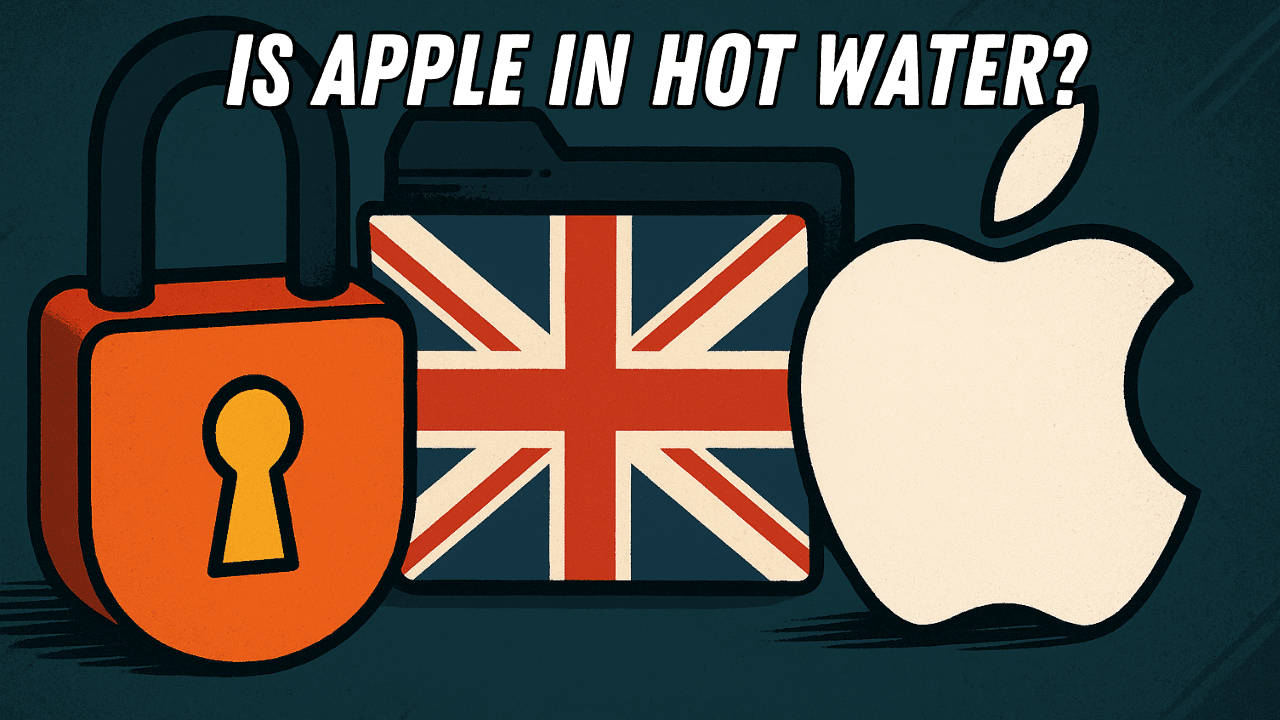
Apple just pulled a major privacy feature from the UK—and it wasn’t because they felt like it. The tech giant was asked by the UK government to weaken its encryption, effectively creating a backdoor to your iCloud data. Apple’s response? “Nah, we’ll just remove the whole feature instead.” But what does this mean for your privacy, and why is it such a big deal? Let’s break it down.

What is the snooper’s charter?

The Investigatory Powers Act (charmingly nicknamed the Snooper’s Charter) is a UK law that gives the government the right to demand access to encrypted data in the name of national security. Think terrorism, child abuse, and organised crime—the heavy stuff.

In theory, this law is about protecting the public. But in practice, it means the government can secretly force tech companies to create backdoors, making once-secure systems vulnerable. The problem? Encryption is designed so not even Apple can access your private data. The whole point is that your information is locked in a digital vault that only you have the key to.

Apple’s response: No vault for you

Rather than creating a secret backdoor, Apple took a different approach. They simply removed their C (ADP) feature from the UK altogether. ADP gave iCloud data an extra layer of encryption that even Apple couldn’t crack.

By pulling the feature, Apple essentially said, “If we can’t guarantee privacy, you can’t have it.” It’s a bold move—one that’s left privacy advocates cheering and the UK government fuming.

Why does this matter?

If you were using ADP in the UK, it’s now gone. Your iCloud data is no longer as secure as it was. But the impact goes beyond just Apple users.

If the UK government wins its legal battle to force Apple (and potentially other companies) to add backdoors, it could set a global precedent. Governments worldwide might demand the same, making everyone’s data—from journalists and activists to everyday users—more vulnerable. And once a backdoor exists, it’s not just governments that will exploit it. Hackers, cybercriminals, and shady data brokers will be lining up too.

What can you do?

If you’re concerned about your privacy, you might want to look into alternative encrypted storage solutions. Or, if the UK keeps pushing for more data access, you may have to resort to smuggling USB sticks across the Channel like some kind of 21st-century data bootlegger.

Want to dive deeper?

This is just a glimpse into the ongoing battle between governments and tech companies over your privacy. 

Watch the full video on our Craig’n’Dave YouTube channel.

For more insights, resources, and lesson content, head over to our website: craigndave.org.

Stay informed, stay secure, and stay tuned.

Related posts

How does optical disc burning work?

Discover what really happens when you “burn” a CD or DVD—it’s not fire, it’s a laser precisely encoding your data onto the disc. From pits and lands to rewritable mood-ring discs, here’s how your files get stored.

14 August 2026

What is a VPN?

Ever wondered how a VPN really works? Think of it as a clever middleman that keeps your online activity private and your data safe.

12 August 2026

Should parents be sharing your life on social media?

“Sharenting”—where parents share their children’s lives online—might seem harmless, but it comes with risks like identity theft, cyberbullying, and impacts on self-esteem. Learn how families can share responsibly while keeping kids’ privacy safe.

10 August 2026

What Is Concurrency in Computing?

Concurrency is the clever trick your computer uses to juggle multiple tasks at once—without actually doing them simultaneously.
From web pages to deadlocks, discover how this behind-the-scenes magic keeps your digital world running (mostly) smoothly.

7 August 2026

Why are silicon wafers round when chips are square?

Ever wondered why silicon wafers are round when everything they power is square? It’s all down to the way we grow and slice silicon — a fascinating mix of physics, efficiency, and a touch of irony.

5 August 2026

What Is the Best Material for a Smartphone?

Your smartphone isn’t made from one perfect material — it’s a carefully engineered compromise of plastic, metal, glass, and ceramic. Each choice solves a problem… and creates another.

3 August 2026

AI torrenting may not be so legal after all

AI training is facing a legal reality check as courts draw the line between fair use and copyright infringement. We look at why data provenance and licensing are now critical in modern AI development.

31 July 2026

Why are LEDs so efficient?

Ever wondered why LEDs use so little energy? Discover how semiconductors create light directly, using far less energy and heat than traditional light bulbs.

29 July 2026

Why Pixar still chooses CPUs over GPUs

Pixar still relies on CPUs for their final film renders — not because they’re faster, but because accuracy beats speed when every photon counts. Discover why GPUs, despite their power, aren’t perfect for cinematic-quality frames.

Back

A new year and another new initiative

1 September 2025

The concept of learning styles—the idea that individuals learn better when taught in their preferred sensory modality (e.g., visual, auditory, kinesthetic)—has been widely popular in education. However, despite its appeal, the theory has been largely debunked by empirical research. Here’s a breakdown of the origins, popularity, and scientific critique: 

 Origins and Popularity 

  • Early Theories: The idea of learning styles can be traced back to educational psychology in the 20th century. One of the most influential models was the VARK model (Visual, Auditory, Reading/Writing, Kinesthetic), developed by Neil Fleming in the 1990s. 
  • Appeal: It resonated with educators and learners because it emphasised personalisation and seemed intuitive—people often feel they have a preferred way of learning. 

Scientific Research and Debunking 

  • Key Issue: The central claim is that matching teaching styles to a student’s preferred learning style improves learning outcomes. This is known as the “meshing hypothesis.” 
  • Major Review: In 2008, a comprehensive review by Pashler et al. in Psychological Science in the Public Interest concluded that:  There is no adequate evidence base to justify incorporating learning styles assessments into general educational practice.” 

Findings

  • Studies that properly tested the meshing hypothesis (i.e., using randomised controlled trials and measuring actual learning outcomes) did not find support for it. 
  • People may have preferences, but teaching to those preferences does not improve learning
  • Content matters more: The best modality often depends on the subject matter (e.g., diagrams for geometry, audio for music), not the learner. 

What Actually Works 

  • Cognitive science supports strategies like: 
  • Spaced repetition 
  • Retrieval practice 
  • Interleaving (mixing different topics or skills) 
  • Dual coding (combining words and visuals) 
  • These methods are evidence-based and improve learning across the board, regardless of “style.” 

Why It Still Persists 

  • Confirmation bias: People remember when their preferred style seemed to help. 
  • Commercial interests: Many companies sell learning style assessments and training. 
  • Intuitive appeal: It feels personalised and empowering, even if it’s not effective. 

Want to know more? Watch the full video on our YouTube channel – At the chalk face.

For more educational news, check out the At the Chalk Face YouTube playlist HERE.

Visit our website to explore more cutting-edge tech-transforming news in the computer science world!

Related posts

How does optical disc burning work?

Discover what really happens when you “burn” a CD or DVD—it’s not fire, it’s a laser precisely encoding your data onto the disc. From pits and lands to rewritable mood-ring discs, here’s how your files get stored.

14 August 2026

What is a VPN?

Ever wondered how a VPN really works? Think of it as a clever middleman that keeps your online activity private and your data safe.

12 August 2026

Should parents be sharing your life on social media?

“Sharenting”—where parents share their children’s lives online—might seem harmless, but it comes with risks like identity theft, cyberbullying, and impacts on self-esteem. Learn how families can share responsibly while keeping kids’ privacy safe.

10 August 2026

What Is Concurrency in Computing?

Concurrency is the clever trick your computer uses to juggle multiple tasks at once—without actually doing them simultaneously.
From web pages to deadlocks, discover how this behind-the-scenes magic keeps your digital world running (mostly) smoothly.

7 August 2026

Why are silicon wafers round when chips are square?

Ever wondered why silicon wafers are round when everything they power is square? It’s all down to the way we grow and slice silicon — a fascinating mix of physics, efficiency, and a touch of irony.

5 August 2026

What Is the Best Material for a Smartphone?

Your smartphone isn’t made from one perfect material — it’s a carefully engineered compromise of plastic, metal, glass, and ceramic. Each choice solves a problem… and creates another.

3 August 2026

AI torrenting may not be so legal after all

AI training is facing a legal reality check as courts draw the line between fair use and copyright infringement. We look at why data provenance and licensing are now critical in modern AI development.

31 July 2026

Why are LEDs so efficient?

Ever wondered why LEDs use so little energy? Discover how semiconductors create light directly, using far less energy and heat than traditional light bulbs.

29 July 2026

Why Pixar still chooses CPUs over GPUs

Pixar still relies on CPUs for their final film renders — not because they’re faster, but because accuracy beats speed when every photon counts. Discover why GPUs, despite their power, aren’t perfect for cinematic-quality frames.

Back

Did Deepseek change AI?

Deepseek: The Chinese AI startup shaking up Silicon Valley

26 August 2025

What is DeepSeek and why is it making waves?

DeepSeek, an AI company based in Hangzhou, China, is making headlines with its latest models, DeepSeek-V3 and DeepSeek-R1. These models aren’t just impressive in quality—they’ve been built for a fraction of the cost compared to OpenAI’s ChatGPT. Reports suggest DeepSeek trained its models for under $6 million, an astonishingly low figure in the AI industry. To put it into perspective, that’s like buying a Ferrari for the price of a second-hand scooter.

Adding to the excitement, DeepSeek’s AI assistant has surged to the top of the US App Store, overtaking ChatGPT. If there’s one thing Americans love more than AI chatbots, it’s winning—and DeepSeek seems to be doing just that.

How did they build it for so little?

The secret lies in a technique called AI distillation. Unlike traditional AI training methods that demand vast amounts of computing power, distillation allows DeepSeek to train a large model first, then extract the key knowledge into a smaller, more efficient version. Think of it as revising for an exam—not reading the entire textbook, just the essential parts.

This method is incredibly cost-effective. Research teams have recreated OpenAI’s reasoning model for as little as $450 in just 19 hours. Some have even done it for $50 in 26 minutes—cheaper than a takeaway pizza. By using distillation, DeepSeek has bypassed the traditional ‘throw money at it’ strategy and delivered an AI that punches well above its weight. Even OpenAI’s CEO, Sam Altman, has hinted that they may need a new open-source strategy to keep up.

What are the drawbacks?

DeepSeek’s meteoric rise isn’t without controversy. One major concern is its hardware. Reports suggest the company may have access to far more Nvidia AI chips than US export controls should allow. If true, this raises serious questions about trade restrictions and supply chains.

Another challenge is accuracy. While AI distillation makes models faster and cheaper, it also means some information gets lost along the way. It’s like summarising a novel—you get the main ideas, but occasionally miss important details.

Are there security concerns?

With AI becoming more affordable and accessible, concerns around misuse are growing. While democratising AI leads to faster innovation, it also increases the risk of deepfakes, misinformation, and other ethical dilemmas. If DeepSeek can build a ChatGPT competitor at a fraction of the cost, what’s stopping a rogue developer from creating something far more dangerous in their garage?

DeepSeek has disrupted the AI landscape, proving that cutting-edge models don’t need billion-dollar budgets. This has left OpenAI and Silicon Valley scrambling to adapt. Will this spark a new AI arms race? Possibly. But one thing is clear—AI is evolving at breakneck speed, and the future is closer than we think.

Want to see more about this AI shake-up? Watch the full video on our YouTube channel

For more Lesson Hacker Videos, check out the CraignDave YouTube playlist HERE.

Visit our website to explore more cutting-edge tech-transforming news in the computer science world!

Related posts

How does optical disc burning work?

Discover what really happens when you “burn” a CD or DVD—it’s not fire, it’s a laser precisely encoding your data onto the disc. From pits and lands to rewritable mood-ring discs, here’s how your files get stored.

14 August 2026

What is a VPN?

Ever wondered how a VPN really works? Think of it as a clever middleman that keeps your online activity private and your data safe.

12 August 2026

Should parents be sharing your life on social media?

“Sharenting”—where parents share their children’s lives online—might seem harmless, but it comes with risks like identity theft, cyberbullying, and impacts on self-esteem. Learn how families can share responsibly while keeping kids’ privacy safe.

10 August 2026

What Is Concurrency in Computing?

Concurrency is the clever trick your computer uses to juggle multiple tasks at once—without actually doing them simultaneously.
From web pages to deadlocks, discover how this behind-the-scenes magic keeps your digital world running (mostly) smoothly.

7 August 2026

Why are silicon wafers round when chips are square?

Ever wondered why silicon wafers are round when everything they power is square? It’s all down to the way we grow and slice silicon — a fascinating mix of physics, efficiency, and a touch of irony.

5 August 2026

What Is the Best Material for a Smartphone?

Your smartphone isn’t made from one perfect material — it’s a carefully engineered compromise of plastic, metal, glass, and ceramic. Each choice solves a problem… and creates another.

3 August 2026

AI torrenting may not be so legal after all

AI training is facing a legal reality check as courts draw the line between fair use and copyright infringement. We look at why data provenance and licensing are now critical in modern AI development.

31 July 2026

Why are LEDs so efficient?

Ever wondered why LEDs use so little energy? Discover how semiconductors create light directly, using far less energy and heat than traditional light bulbs.

29 July 2026

Why Pixar still chooses CPUs over GPUs

Pixar still relies on CPUs for their final film renders — not because they’re faster, but because accuracy beats speed when every photon counts. Discover why GPUs, despite their power, aren’t perfect for cinematic-quality frames.

Back

How do computers generate random numbers?

29 July 2025

Ah, randomness! It’s everywhere in nature—think dice rolls, quantum physics, or even your cat’s indecision. But when it comes to computers, randomness doesn’t come naturally. Why? Because computers are logical machines, designed to follow precise instructions. So, when we ask for a “random” number, they can’t just pluck one from thin air. Instead, they rely on something called a pseudo-random number generator (PRNG)—essentially, randomness with a script.

How does a pseudo-random number generator work?

Here’s how computers fake randomness step by step:

  1. The magic seed
    The process begins with a “seed” number. This seed could be almost anything—like the exact millisecond from the system clock, the temperature of your CPU, or even the quirky motion of a lava lamp (a trick famously used by Cloudflare for added unpredictability).
  2. Math happens
    Once the seed is set, it’s run through a complex mathematical formula designed to churn out seemingly random results. Picture a blender spinning at full speed, tossing numbers into a chaotic whirl.
  3. Voilà! fake randomness
    Out comes a number that looks completely random. However, if someone knows the original seed and the formula, they can predict the outcome—like a magician pulling the same rabbit from their hat every time.

Can computers create true randomness?

When it comes to security, like encrypting sensitive data, fake randomness isn’t enough. For truly unpredictable results, computers turn to nature for help. They measure chaotic phenomena like radioactive decay, electrical noise, or even the small, unpredictable quirks of daily life. This kind of randomness, called “true randomness,” is far more secure and impossible to predict.

So, while computers don’t naturally do random, they’ve mastered the art of faking it with clever algorithms. But when we need something truly unpredictable, we can rely on the chaos of the natural world. Or, as a simpler alternative, just watch a cat trying to decide whether to go outside.

Want to learn more?

Want to know more, check out The Lesson Hacker’s YouTube video HERE.

For more Lesson Hacker Videos check out the CraignDave YouTube playlist HERE.

Visit our website to explore more cutting-edge tech-transforming news in the computer science world!

Related posts

How does optical disc burning work?

Discover what really happens when you “burn” a CD or DVD—it’s not fire, it’s a laser precisely encoding your data onto the disc. From pits and lands to rewritable mood-ring discs, here’s how your files get stored.

14 August 2026

What is a VPN?

Ever wondered how a VPN really works? Think of it as a clever middleman that keeps your online activity private and your data safe.

12 August 2026

Should parents be sharing your life on social media?

“Sharenting”—where parents share their children’s lives online—might seem harmless, but it comes with risks like identity theft, cyberbullying, and impacts on self-esteem. Learn how families can share responsibly while keeping kids’ privacy safe.

10 August 2026

What Is Concurrency in Computing?

Concurrency is the clever trick your computer uses to juggle multiple tasks at once—without actually doing them simultaneously.
From web pages to deadlocks, discover how this behind-the-scenes magic keeps your digital world running (mostly) smoothly.

7 August 2026

Why are silicon wafers round when chips are square?

Ever wondered why silicon wafers are round when everything they power is square? It’s all down to the way we grow and slice silicon — a fascinating mix of physics, efficiency, and a touch of irony.

5 August 2026

What Is the Best Material for a Smartphone?

Your smartphone isn’t made from one perfect material — it’s a carefully engineered compromise of plastic, metal, glass, and ceramic. Each choice solves a problem… and creates another.

3 August 2026

AI torrenting may not be so legal after all

AI training is facing a legal reality check as courts draw the line between fair use and copyright infringement. We look at why data provenance and licensing are now critical in modern AI development.

31 July 2026

Why are LEDs so efficient?

Ever wondered why LEDs use so little energy? Discover how semiconductors create light directly, using far less energy and heat than traditional light bulbs.

29 July 2026

Why Pixar still chooses CPUs over GPUs

Pixar still relies on CPUs for their final film renders — not because they’re faster, but because accuracy beats speed when every photon counts. Discover why GPUs, despite their power, aren’t perfect for cinematic-quality frames.

Back

Can We Tell the Difference Between High Frame Rates?

22 July 2025

Ever heard gamers argue about frame rates? One insists 60 FPS is perfectly fine, another declares anything below 240 FPS is unplayable, and then there’s that one person who swears they can see the difference between 999 and 1000 FPS—probably while wearing a pair of ancient glasses. But what’s the truth behind these claims?

How the human eye processes motion

Let’s clear something up first: the human eye doesn’t see in frames per second. It’s not a digital monitor but a complex biological system. Our eyes take in continuous information, and our brains process motion at speeds that matter—but only to a point.

At frame rates below 30 FPS, motion starts to look disjointed, like an old puppet show. Jump to 60 FPS, and things feel smoother, though many gamers will still find room to complain. Push it up to 120 FPS, and you’ll notice things feel even “snappier”—but now we’re entering a realm where perception begins to blur with personal preference.

The limits of perception

What about 240 FPS? At this stage, individual frames become almost imperceptible, but some people—especially competitive gamers—may notice the increased smoothness in fast-paced scenarios. Beyond that? Unless you’re a fighter pilot, a mantis shrimp, or bluffing, the benefits become negligible.

It’s not just about frame rate

Frame rate is only one piece of the puzzle. Motion blur, screen technology, and input lag also influence how smooth gameplay feels. So, if you’re investing heavily in a high-performance monitor, remember this: at some point, you’re not just paying for a better gaming experience—you’re paying for bragging rights.

Does it really matter?

While high frame rates can enhance gaming for certain scenarios, they’re not always necessary for a great experience. Understanding the science of perception can help you decide when to upgrade—and when to save your money.

Want to dive deeper into the science of frame rates?

Check out Dave The Lesson Hacker’s YouTube video HERE.

For more Lesson Hacker videos check out the CraignDave YouTube playlist HERE.

Visit our website to explore more cutting-edge tech-transforming news in the computer science world!


Related posts

How does optical disc burning work?

Discover what really happens when you “burn” a CD or DVD—it’s not fire, it’s a laser precisely encoding your data onto the disc. From pits and lands to rewritable mood-ring discs, here’s how your files get stored.

14 August 2026

What is a VPN?

Ever wondered how a VPN really works? Think of it as a clever middleman that keeps your online activity private and your data safe.

12 August 2026

Should parents be sharing your life on social media?

“Sharenting”—where parents share their children’s lives online—might seem harmless, but it comes with risks like identity theft, cyberbullying, and impacts on self-esteem. Learn how families can share responsibly while keeping kids’ privacy safe.

10 August 2026

What Is Concurrency in Computing?

Concurrency is the clever trick your computer uses to juggle multiple tasks at once—without actually doing them simultaneously.
From web pages to deadlocks, discover how this behind-the-scenes magic keeps your digital world running (mostly) smoothly.

7 August 2026

Why are silicon wafers round when chips are square?

Ever wondered why silicon wafers are round when everything they power is square? It’s all down to the way we grow and slice silicon — a fascinating mix of physics, efficiency, and a touch of irony.

5 August 2026

What Is the Best Material for a Smartphone?

Your smartphone isn’t made from one perfect material — it’s a carefully engineered compromise of plastic, metal, glass, and ceramic. Each choice solves a problem… and creates another.

3 August 2026

AI torrenting may not be so legal after all

AI training is facing a legal reality check as courts draw the line between fair use and copyright infringement. We look at why data provenance and licensing are now critical in modern AI development.

31 July 2026

Why are LEDs so efficient?

Ever wondered why LEDs use so little energy? Discover how semiconductors create light directly, using far less energy and heat than traditional light bulbs.

29 July 2026

Why Pixar still chooses CPUs over GPUs

Pixar still relies on CPUs for their final film renders — not because they’re faster, but because accuracy beats speed when every photon counts. Discover why GPUs, despite their power, aren’t perfect for cinematic-quality frames.

Back

Why do arrays start at zero?

15 July 2025

If you’ve ever dived into programming, you’ve probably asked yourself: why on earth do arrays start at zero instead of one? At first glance, it seems counterintuitive, but the answer lies in efficiency and logic.

Visualising arrays: the row of lockers analogy

Think of an array as a row of lockers. Each locker has a position, starting at the very beginning of the row. The first locker is zero steps from the start, the second locker is one step away, and so on. If you want to access the third locker, you count two steps from the beginning: 0, 1, 2. This is the essence of zero-based indexing—it measures the offset from the starting point.

The link between arrays and memory

Arrays in programming map directly to how memory works in a computer. When an array is created, it’s stored as a block of memory. Accessing an element at array[i] involves the computer locating the base address of the array in memory and adding i to it. Starting at zero simplifies this calculation, making it faster and more efficient. In essence, zero-based indexing aligns perfectly with how hardware is designed to operate.

Why not start at one?

While starting at one might feel more intuitive, it’s not practical. Zero-based indexing is baked into the very foundation of programming languages, compilers, and hardware logic. Switching to one-based indexing would introduce unnecessary complexity and inefficiency. That’s why programmers worldwide have embraced zero-based indexing as the universal standard.

It’s not weird—it’s smart!

So, the next time you see array[0], remember it’s not just a quirk of programming. It’s a smart, efficient design choice that keeps your code running smoothly.

Want to learn more?

Want to know more? Check out The Lesson Hacker’s YouTube video HERE.

For more Lesson Hacker Videos, check out the CraignDave YouTube playlist HERE.

Visit our website to explore more cutting-edge tech-transforming news in the computer science world!

Related posts

How does optical disc burning work?

Discover what really happens when you “burn” a CD or DVD—it’s not fire, it’s a laser precisely encoding your data onto the disc. From pits and lands to rewritable mood-ring discs, here’s how your files get stored.

14 August 2026

What is a VPN?

Ever wondered how a VPN really works? Think of it as a clever middleman that keeps your online activity private and your data safe.

12 August 2026

Should parents be sharing your life on social media?

“Sharenting”—where parents share their children’s lives online—might seem harmless, but it comes with risks like identity theft, cyberbullying, and impacts on self-esteem. Learn how families can share responsibly while keeping kids’ privacy safe.

10 August 2026

What Is Concurrency in Computing?

Concurrency is the clever trick your computer uses to juggle multiple tasks at once—without actually doing them simultaneously.
From web pages to deadlocks, discover how this behind-the-scenes magic keeps your digital world running (mostly) smoothly.

7 August 2026

Why are silicon wafers round when chips are square?

Ever wondered why silicon wafers are round when everything they power is square? It’s all down to the way we grow and slice silicon — a fascinating mix of physics, efficiency, and a touch of irony.

5 August 2026

What Is the Best Material for a Smartphone?

Your smartphone isn’t made from one perfect material — it’s a carefully engineered compromise of plastic, metal, glass, and ceramic. Each choice solves a problem… and creates another.

3 August 2026

AI torrenting may not be so legal after all

AI training is facing a legal reality check as courts draw the line between fair use and copyright infringement. We look at why data provenance and licensing are now critical in modern AI development.

31 July 2026

Why are LEDs so efficient?

Ever wondered why LEDs use so little energy? Discover how semiconductors create light directly, using far less energy and heat than traditional light bulbs.

29 July 2026

Why Pixar still chooses CPUs over GPUs

Pixar still relies on CPUs for their final film renders — not because they’re faster, but because accuracy beats speed when every photon counts. Discover why GPUs, despite their power, aren’t perfect for cinematic-quality frames.

Back

How much does it cost to build a CPU?

27 May 2025

Building a CPU isn’t just complicated; it’s an engineering marvel that demands staggering resources. 

Imagine creating the most intricate pancake in the world, where every ingredient is microscopic, precision matters, and the price tag is astronomical. 

Let’s break it down to understand what goes into making these high-tech powerhouses. 

Silicon wafers: the foundation of a CPU. 

At the heart of every CPU is a silicon wafer. While the raw materials themselves are relatively cheap, turning them into a usable wafer is an entirely different story. The process involves cutting-edge technology and precision, with costs starting at £8,000 or more per wafer. And that’s just the beginning. The factories where CPUs are made, known as fabs, are extraordinary facilities. 

Building a state-of-the-art fab capable of producing today’s 3nm or smaller transistors can set you back over £16 billion. Why so much? Because these fabs operate on an atomic scale, even the tiniest mistake can render entire batches unusable. 

The level of cleanliness, precision, and technological advancement required is unmatched. 

Research and development: the hidden cost. 

Designing a CPU isn’t a quick or cheap process. Teams of engineers spend years creating, testing, and refining each design. Simulations, prototypes, and endless troubleshooting are part of the journey, with research and development costs reaching millions of pounds for a single chip. 

It’s an investment of time, money, and expertise to push the boundaries of what’s possible. 

Why CPUs are worth every penny. 

When you consider the monumental effort and expense behind each CPU, it’s easier to understand their price. 

Every chip is a piece of technology more complex than most buildings, packed into a form factor small enough to fit in your hand. CPUs power everything from our laptops to supercomputers, making them one of the most essential inventions of our time. 

Curious to learn more about the fascinating world of CPUs? 

Watch the full video on our YouTube channel for an in-depth explanation. 

For more insights into computer science and to explore our resources, visit the Craig’n’Dave website today.

Related posts

How does optical disc burning work?

Discover what really happens when you “burn” a CD or DVD—it’s not fire, it’s a laser precisely encoding your data onto the disc. From pits and lands to rewritable mood-ring discs, here’s how your files get stored.

14 August 2026

What is a VPN?

Ever wondered how a VPN really works? Think of it as a clever middleman that keeps your online activity private and your data safe.

12 August 2026

Should parents be sharing your life on social media?

“Sharenting”—where parents share their children’s lives online—might seem harmless, but it comes with risks like identity theft, cyberbullying, and impacts on self-esteem. Learn how families can share responsibly while keeping kids’ privacy safe.

10 August 2026

What Is Concurrency in Computing?

Concurrency is the clever trick your computer uses to juggle multiple tasks at once—without actually doing them simultaneously.
From web pages to deadlocks, discover how this behind-the-scenes magic keeps your digital world running (mostly) smoothly.

7 August 2026

Why are silicon wafers round when chips are square?

Ever wondered why silicon wafers are round when everything they power is square? It’s all down to the way we grow and slice silicon — a fascinating mix of physics, efficiency, and a touch of irony.

5 August 2026

What Is the Best Material for a Smartphone?

Your smartphone isn’t made from one perfect material — it’s a carefully engineered compromise of plastic, metal, glass, and ceramic. Each choice solves a problem… and creates another.

3 August 2026

AI torrenting may not be so legal after all

AI training is facing a legal reality check as courts draw the line between fair use and copyright infringement. We look at why data provenance and licensing are now critical in modern AI development.

31 July 2026

Why are LEDs so efficient?

Ever wondered why LEDs use so little energy? Discover how semiconductors create light directly, using far less energy and heat than traditional light bulbs.

29 July 2026

Why Pixar still chooses CPUs over GPUs

Pixar still relies on CPUs for their final film renders — not because they’re faster, but because accuracy beats speed when every photon counts. Discover why GPUs, despite their power, aren’t perfect for cinematic-quality frames.

Back

Meet the speakers inspiring change at the Festival of Computing 2025

6 May 2025

Get ready to be inspired! The Festival of Computing 2025 is bringing together some of the most experienced, forward-thinking minds in education and computing. Whether you’re an experienced teacher, a school leader, or someone passionate about the future of digital learning, our keynote sessions are not to be missed.

Let’s take a look at who’s taking to the stage to kick off the day and drive the conversation forward.

The Keynote speakers

Craig Sargent & David Hillyard – Co-founders, CEOs, and Conference Organisers, Craig’n’Dave

Craig and Dave aren’t just the minds behind the Festival of Computing – they’re the driving force behind one of the most recognised names in computing education.

Together, Craig and Dave will lead two unmissable sessions:

 🎤 Session 1: Changes to the national curriculum and new opportunities

 “The National Curriculum is rapidly approaching 15 years of age. The government is already undertaking a massive review of all subjects and all key stages. With this comes challenges and opportunities. Join us while we let you know what we are already doing to plan for the future.”

 🎤 Session 2: Meet the Smart Revise Team

 “A chance to meet the team behind Smart Revise, including our developers. Get early insight into features coming down the pipeline and give us your feedback!”

Jill Duffy – Chief Executive, OCR
🎓 OCR: Headline sponsor and the UK’s leading exam board for Computer Science

We’re thrilled to welcome Jill Duffy as a keynote speaker at this year’s event.

Jill is the Chief Executive of OCR and brings with her a wealth of experience in qualifications, assessment, and educational leadership. She’s worked across both UK and international education sectors, from primary through to vocational, and has a track record of delivering strategic growth and outstanding customer experience.

Her keynote is an important moment in the day – an opportunity to hear directly from the leader of the UK’s foremost exam board for Computer Science on where the subject is headed, and what that means for educators on the ground.

Alan O’Donohoe – Specialist Leader in Education, The Exa Foundation
“Relight My Fire”

Alan is one of the most inspiring voices in UK computing education. With over 20 years of teaching experience and now leading The Exa Foundation’s nationwide STEM enrichment work, Alan’s energy is contagious.

He’s known for creating engaging, inclusive experiences that spark curiosity in learners of all ages. Expect a dynamic session filled with insight and encouragement for teachers looking to reignite their passion for computing.

“Relight My Fire” promises to be a motivating, memorable talk that sets the tone for the rest of the day.


Session speakers bringing the Festival to life

The diverse range of sessions and passionate educators who bring the Festival of Computing to life throughout the day. Whether you’re exploring assessment, curriculum, pedagogy, or digital futures, these sessions offer something for everyone.

Here’s your guide to just some of the brilliant minds taking the stage this year.


🎓  John Palmer, Host & Conference Organiser & Michael Punt, Headmaster

A warm welcome from Bromsgrove School

We begin the day with a warm welcome from the host venue. John Palmer and Headmaster Michael Punt will officially open the Festival and share the school’s enthusiasm for hosting an event that brings together innovation, teaching excellence and a passion for computing.


Ceredig Cattanach-Chell – Subject Advisor for Computing, OCR

Ceredig brings an academic and practical edge to OCR’s computing offer. With experience as a teacher, assessor, and published author, he’s passionate about balancing digital skills with curriculum demands.

 🧠 Session 1: Striking the balance

 “What does OCR’s striking the balance mean for Schools and Curriculum? How do digital skills fit into an already packed agenda? This session will explore how our Striking the Balance report may impact Computing qualifications – and will specifically dig into how Digital Skills could be incorporated into the curriculum without curriculum overload.”

 🧠 Session 2: Digital Exams

“View the latest developments for OCRs fully digital GCSE. Hear about our progress and journey. Review the platform and see how exams may look in the future. Discuss the implementation of digital exams and how we will maintain our J277 paper-based exams at the same time.”

 🧠 Session 3: Additional Advanced Qualifications (AAQs)

 “Hear about the latest development of AAQs. With the latest round of funding/defunding, this talk will look at how you can use AAQs to support those learners who may not be suitable for either A levels of T levels. Explore OCR’s offer of AAQs: Cambridge Advanced National in Computing: Application Development and Cambridge Advanced National in IT: Data Analytics”

Mark Calleja – Learning Manager for Code Club Projects, Raspberry Pi Foundation (Code Club)

Known as ‘Mr.C’, Mark blends storytelling, gamification, and AI into practical, hands-on sessions that make computing accessible and exciting.

 🎮 Session 1: AI at Code Club

 “A hands on, practical introduction to the AI projects collection from the Raspberry Pi Foundation, showcasing the wide range of easy to manage projects for your club. From facial recognition to decision trees and micro:bit, there is something for everyone!”


DC Adrian Bacon & DC Hannah Link – Regional Cyber Crime Team, West Midlands Regional Cyber Crime Unit

Bringing real-world context to the classroom, Adrian and Hannah’s session is all about ethical computing and prevention. Their work focuses on educating young people before they cross the line into illegal activity.

 🔐 Session 1: Cyber Choices

 “Ade & Hannah have developed a training video to help teachers and communities teach students the Computer Misuse Act. It’s been specifically designed to be delivered by non-technical persons and focuses on the ethical impact on both the offender and victim and the associated consequences.”


Alan Harrison – Director, Harrison Proserv Ltd (How to Teach Computer Science)

Alan’s session offers a reflective, research-informed lens into what it really means to think like a computer scientist — and how understanding “disciplinary knowledge” can change how we teach.

 💡 Session 1: Disciplinary Knowledge in Computing

 “What my Master’s research taught me about the “gaze” of a computer scientist and why it matters to you.”


Simon Johnson – Senior Consultant and AI Specialist, TA Education (Tablet Academy)

Simon brings classroom experience and consultancy insight together in his workshop on artificial intelligence. He’s also the author of 100 Ideas for Secondary Teachers: Outstanding Computing Lessons and the founder of #caschat.

 🤖 Session 1: Using AI to teach computing

 “Unlock the potential of AI in your classroom! Join us for an engaging workshop where you’ll discover how to leverage tools like Microsoft Copilot to enhance your teaching of computing. Learn practical strategies to support students with coding, reduce cognitive load, and to contextualise learning.”


Alex Parry (Senior Learning Manager) & Laura James (Learning Manager), Raspberry Pi Foundation

Alex and Laura share their expertise from the Ada Computer Science team and real classroom experience to demystify A Level web development.

 💻 Session 2: Mastering A-Level web development

 “Exploring core and advanced website projects for the NEA”


Rujeko Moyo (Community Coordinator – England) & Sarah Roberts (Community Manager), Raspberry Pi Foundation (Code Club)

Rujeko and Sarah share their passion for inclusive computing with a guide to setting up and growing your Code Club.

 🌍 Session 2: Code Clubs in Secondary Schools

 “Discover how Code Clubs can ignite learners’ interest in computing, enhance your curriculum and build confidence. This session provides a practical introduction to starting and running a Code Club including free access to facilitation resources, ongoing support for teachers and mentors, and exciting opportunities for recognising and celebrating learners’ progress through the Raspberry Pi Foundation’s annual “Coolest Projects” showcase and “Astro Pi” challenge.”

Ben Garside – Senior Learning Manager – AI Literacy, Raspberry Pi Foundation

Ben will explore how to equip young people to navigate the world of AI responsibly — a must-attend for any teacher tackling digital ethics.

 🧠 Session 2: Adopting AI

 “Empowering young people to safety and responsibly adopt AI tools”


Rebecca Franks (CLO) & Dr Tracy Gardner (CTO), Flip Computing

Rebecca and Tracy are driving innovation and inclusion in tech education. Their session looks at real-world impact from Dudley to your own school.

 🌐 Session 2: Flock XR, the free 3D creation tool

 “How schools in Dudley embraced 3D skills with Flock XR…and how you could too!”


Kat Morgan – Head of Learning, Mindjoy

Kat’s sessions focus on how AI can support both students and teachers in and out of the classroom — from automated feedback to engaging content delivery.

 💡 Sessions 2: AI Tutors and Auto-marking with Mindjoy

 “AI Tutors and automarking for 24/7 learning”

 💡 Sessions 3: Lesson Hacker!

 “Make your theory content enthralling with Lesson Hacker!”


Tim Brady – Subject Advisor, Pearson

With a foot in both industry and education, Tim brings insight into how Pearson is making onscreen assessment work for Computer Science.

 🖥️ Session 3: Onscreen Exams

“Get a closer look at Pearson’s Onscreen Assessment of GCSE Computer Science”


Becci Peters – Computing Subject Lead (Secondary/Tertiary), CAS


With years of classroom and teacher training experience, Becci is a voice of clarity for both new and experienced teachers. She’s now supporting trainees nationally and contributing to assessment standards.

 🎓 Session 3: Supporting students with A-Level OCR essay-style questions

 “In this session we’ll look at the types of questions and briefly look at the generic mark scheme used for these questions and look at how to support your students with writing the answers to this style of question.”


Martyn Colliver – AQA Computer Science Subject Advocate, AQA

As Subject Advocate and a lead moderator, Martyn’s focus is on helping schools navigate both the AQA spec and effective pedagogy. His session combines two passions: functional programming and mathematical thinking.

 🧠 Session 3: Functional Programming

 “Building coding skills for A level – exploring functional programming using simple algorithms in Python and Haskell.”


Chris Calver – UK Education Manager, VEX Robotics

With a decade and a half of STEM engagement under his belt, Chris supports schools across the UK to bring computing to life through robotics.

 ⚙️ Session 3: Blocks to Python

 “Supporting the transition from Block to Python Coding using Hybrid Environments”


Harriet Page (Learning Manager) & Andrew Csizmadia (Bebras Manager), Raspberry Pi Foundation

Engaging and accessible computational thinking is the focus for Harriet and Andrew’s session — ideal for bringing Bebras into your classroom.

 🧩 Session 3: Bebras

 “Bringing Bebras into the classroom: Engaging students with interactive computational thinking tasks.”


🎟️ Book your ticket today

The Festival of Computing 2025 is completely free to attend (the ticket cost is refunded after you attend the event) — all you need to do is secure your ticket now and join us on Wednesday 2nd July at Bromsgrove School.

Don’t miss this opportunity to connect with subject experts, explore the future of computing, and take away classroom-ready resources and ideas.

Hope to see you there! 


Related posts

How does optical disc burning work?

Discover what really happens when you “burn” a CD or DVD—it’s not fire, it’s a laser precisely encoding your data onto the disc. From pits and lands to rewritable mood-ring discs, here’s how your files get stored.

14 August 2026

What is a VPN?

Ever wondered how a VPN really works? Think of it as a clever middleman that keeps your online activity private and your data safe.

12 August 2026

Should parents be sharing your life on social media?

“Sharenting”—where parents share their children’s lives online—might seem harmless, but it comes with risks like identity theft, cyberbullying, and impacts on self-esteem. Learn how families can share responsibly while keeping kids’ privacy safe.

10 August 2026

What Is Concurrency in Computing?

Concurrency is the clever trick your computer uses to juggle multiple tasks at once—without actually doing them simultaneously.
From web pages to deadlocks, discover how this behind-the-scenes magic keeps your digital world running (mostly) smoothly.

7 August 2026

Why are silicon wafers round when chips are square?

Ever wondered why silicon wafers are round when everything they power is square? It’s all down to the way we grow and slice silicon — a fascinating mix of physics, efficiency, and a touch of irony.

5 August 2026

What Is the Best Material for a Smartphone?

Your smartphone isn’t made from one perfect material — it’s a carefully engineered compromise of plastic, metal, glass, and ceramic. Each choice solves a problem… and creates another.

3 August 2026

AI torrenting may not be so legal after all

AI training is facing a legal reality check as courts draw the line between fair use and copyright infringement. We look at why data provenance and licensing are now critical in modern AI development.

31 July 2026

Why are LEDs so efficient?

Ever wondered why LEDs use so little energy? Discover how semiconductors create light directly, using far less energy and heat than traditional light bulbs.

29 July 2026

Why Pixar still chooses CPUs over GPUs

Pixar still relies on CPUs for their final film renders — not because they’re faster, but because accuracy beats speed when every photon counts. Discover why GPUs, despite their power, aren’t perfect for cinematic-quality frames.

Back

Why don’t computers use a different base for numbers?

The simple reason why binary beats all other number bases

30 April 2025

Why not Base-4?

At first glance, it seems logical to ask: Why don’t computers use Base-4 instead of Base-2? After all, wouldn’t using more numbers give us more power? While it might sound appealing, the reality comes down to the fundamental way electronics work—and why binary remains unbeatable.

Electronics love simplicity

Computers are built on circuits that recognise two states: “off” and “on”. These states are easy, reliable, and practical for electronics to detect. Base-4, on the other hand, would mean handling four distinct states—imagine “off,” “partly on,” and “fully on.” Cool in theory, but impractical in reality. Building hardware to detect such levels would not only be expensive but also error-prone. Think of it like trying to get a light switch to dim to exactly 37%—possible, but far from practical.

A costly rewrite of history

Binary’s dominance dates back to the early days of computing, when switches were literal levers toggling between two positions. Switching to Base-4 today would require a complete overhaul of modern technology. Every programme would need rewriting, every processor redesigning, and every programmer retraining. The cost? More than even the world’s wealthiest could cover.

Base-3 computers: A brief history

Interestingly, a ternary (Base-3) computer was once a serious contender in the 1950s. Yet, despite its potential, binary won out for its simplicity, reliability, and efficiency. The entire computing industry has been built on this foundation, and for good reason: sometimes less really is more.

The unbeatable efficiency of binary

While other number bases could theoretically work, binary remains the gold standard. Its simplicity makes it easy to implement, cost-effective, and highly reliable. If it ain’t broke, don’t fix it—or add unnecessary complexity.


Want to dive deeper? Watch our full Craig’n’Dave Lesson Hacker video

Be sure to visit our website for more insights into the world of technology and the best teaching resources for computer science and business studies. 

Stay informed, stay curious!

Related posts

How does optical disc burning work?

Discover what really happens when you “burn” a CD or DVD—it’s not fire, it’s a laser precisely encoding your data onto the disc. From pits and lands to rewritable mood-ring discs, here’s how your files get stored.

14 August 2026

What is a VPN?

Ever wondered how a VPN really works? Think of it as a clever middleman that keeps your online activity private and your data safe.

12 August 2026

Should parents be sharing your life on social media?

“Sharenting”—where parents share their children’s lives online—might seem harmless, but it comes with risks like identity theft, cyberbullying, and impacts on self-esteem. Learn how families can share responsibly while keeping kids’ privacy safe.

10 August 2026

What Is Concurrency in Computing?

Concurrency is the clever trick your computer uses to juggle multiple tasks at once—without actually doing them simultaneously.
From web pages to deadlocks, discover how this behind-the-scenes magic keeps your digital world running (mostly) smoothly.

7 August 2026

Why are silicon wafers round when chips are square?

Ever wondered why silicon wafers are round when everything they power is square? It’s all down to the way we grow and slice silicon — a fascinating mix of physics, efficiency, and a touch of irony.

5 August 2026

What Is the Best Material for a Smartphone?

Your smartphone isn’t made from one perfect material — it’s a carefully engineered compromise of plastic, metal, glass, and ceramic. Each choice solves a problem… and creates another.

3 August 2026

AI torrenting may not be so legal after all

AI training is facing a legal reality check as courts draw the line between fair use and copyright infringement. We look at why data provenance and licensing are now critical in modern AI development.

31 July 2026

Why are LEDs so efficient?

Ever wondered why LEDs use so little energy? Discover how semiconductors create light directly, using far less energy and heat than traditional light bulbs.

29 July 2026

Why Pixar still chooses CPUs over GPUs

Pixar still relies on CPUs for their final film renders — not because they’re faster, but because accuracy beats speed when every photon counts. Discover why GPUs, despite their power, aren’t perfect for cinematic-quality frames.

Back

Why can’t we just stick RAM directly onto the CPU?

22 April 2025

In the world of computer science, speed is everything. So, it’s easy to see why the idea of sticking RAM directly onto the CPU seems like a genius move. Zero latency, lightning-fast speeds, and no more bottlenecks—what’s not to love? But in reality, it’s not that simple. Let’s break down why we can’t just combine these two crucial components into one.

The difference between CPU and RAM

At first glance, sticking RAM onto the CPU might sound like a great way to boost performance. After all, the closer RAM is to the CPU, the faster data can be accessed, right? Unfortunately, it’s not that straightforward. The CPU and RAM are built in fundamentally different ways.

CPUs are designed to handle calculations at breakneck speeds using logic processes. On the other hand, RAM—specifically Dynamic RAM (DRAM)—uses capacitors to temporarily store data. The catch is that these capacitors need constant refreshing to retain their information. This is similar to a student frantically rereading their notes to ensure they remember everything during revision.

Why it doesn’t work together

Trying to combine CPU and DRAM onto the same chip would cause chaos in the manufacturing process. DRAM fabrication doesn’t align well with the processes used to create a CPU. Imagine trying to install a high-end GPU into a budget laptop—it just won’t fit, and forcing it could cause damage.

Even cutting-edge technologies like Intel’s Haswell architecture use embedded DRAM (eDRAM) sparingly. The goal is to use just enough to boost performance without massively increasing production costs. However, merging CPU and RAM completely would be a manufacturing nightmare.

The speed factor: DRAM vs. SRAM

Even if we could combine the two, there’s another issue: speed. DRAM operates at a top speed of about 1 GHz, while modern CPUs can easily surpass 3 GHz. That’s like putting bicycle tyres on a Formula 1 car—you’re limiting the performance of the entire system.

To overcome this speed gap, CPUs use SRAM (Static RAM) for on-chip cache. SRAM is much faster than DRAM but comes with its own drawbacks: it’s bulkier and significantly more expensive. Sure, we could fill a CPU with SRAM, but that would come at an astronomical cost—far more than most of us are willing to pay.

Why we stick to separate RAM and CPUs

While combining RAM and the CPU might sound like a performance dream, the technical and cost limitations make it impractical. The current balance of DRAM for main memory and SRAM for cache strikes the best compromise between speed, cost, and practicality.

Want to know more? Check out The Lesson Hacker’s YouTube video – 

For more Lesson Hacker Videos, check out the CraignDave YouTube playlist HERE.

Visit our website to explore more cutting-edge tech-transforming news in the computer science world!

Related posts

How does optical disc burning work?

Discover what really happens when you “burn” a CD or DVD—it’s not fire, it’s a laser precisely encoding your data onto the disc. From pits and lands to rewritable mood-ring discs, here’s how your files get stored.

14 August 2026

What is a VPN?

Ever wondered how a VPN really works? Think of it as a clever middleman that keeps your online activity private and your data safe.

12 August 2026

Should parents be sharing your life on social media?

“Sharenting”—where parents share their children’s lives online—might seem harmless, but it comes with risks like identity theft, cyberbullying, and impacts on self-esteem. Learn how families can share responsibly while keeping kids’ privacy safe.

10 August 2026

What Is Concurrency in Computing?

Concurrency is the clever trick your computer uses to juggle multiple tasks at once—without actually doing them simultaneously.
From web pages to deadlocks, discover how this behind-the-scenes magic keeps your digital world running (mostly) smoothly.

7 August 2026

Why are silicon wafers round when chips are square?

Ever wondered why silicon wafers are round when everything they power is square? It’s all down to the way we grow and slice silicon — a fascinating mix of physics, efficiency, and a touch of irony.

5 August 2026

What Is the Best Material for a Smartphone?

Your smartphone isn’t made from one perfect material — it’s a carefully engineered compromise of plastic, metal, glass, and ceramic. Each choice solves a problem… and creates another.

3 August 2026

AI torrenting may not be so legal after all

AI training is facing a legal reality check as courts draw the line between fair use and copyright infringement. We look at why data provenance and licensing are now critical in modern AI development.

31 July 2026

Why are LEDs so efficient?

Ever wondered why LEDs use so little energy? Discover how semiconductors create light directly, using far less energy and heat than traditional light bulbs.

29 July 2026

Why Pixar still chooses CPUs over GPUs

Pixar still relies on CPUs for their final film renders — not because they’re faster, but because accuracy beats speed when every photon counts. Discover why GPUs, despite their power, aren’t perfect for cinematic-quality frames.

Back

Getting maximum value from Smart Revise with Year 11

15 April 2025

Exams are only a few months away and what your students do now is going to make the biggest impact to their results in August. It almost doesn’t matter what their work ethic has been like up until now, there is still time for all students to achieve their potential if they engage in regular active revision using the best techniques from today. 

Once you have delivered all the course content switch the topic filters to “Student controlled” in Smart Revise. Make sure you have Quiz, Terms reflective, Terms interactive and Advance modes enabled in the class settings. This will allow the students to take charge of what to revise, when and how. 

Top tips for students 

  • Use the Summary report to know the topics that are your strengths and weaknesses. 
  • Click on a Quiz pie chart in the summary report to do multiple-choice questions only on weaker topics. 
  • Look at the Top 10 revision references at the bottom of the summary report.
    These are your specific weaknesses across the whole course. You can watch the Craig’n’Dave videos if that helps but beware of passive revision. 
  • Click on a Terms pie chart in the summary report and filter the cards you want to focus on: sad, neutral, happy, unanswered. Reflective is a passive reflection. Interactive is more challenging but is essential. You should be able to define terms at this stage of the course. Use reflective as a reminder and interactive when you are revising. 
  • Click on an Advance pie chart in the summary report to see exam-style questions. Use the next button to find a question you want to attempt. Start with the low mark questions first and work up. Pretend you are in a real exam. Set an alarm on your phone for the number of marks the question is worth and spend that amount of time answering the question. 
  • Use the built-in mark schemes to mark your answer and be realistic. It doesn’t matter if you get low marks when you are practicing. 
  • If you don’t get full marks, note the question number. Have another go at the same question a few days later to see if you can improve your answer. Use the “last answer” button to see your most recent answer. 
  • Start with low mark questions, but don’t avoid the high mark Advance questions forever. You will get lots of 1–6-mark questions in your exam and one 8-mark question in each paper. 
  • Just because you know something this week doesn’t mean you will remember it next week so don’t neglect the topics you have mostly green on the pie charts in the summary report. Checking you still have the understanding is important. 
  • Start Terms – Leitner mode is good for daily reminders of terminology once you have mostly green or yellow pie charts in most of the topics on your summary report. Remember to set the topic filters to the whole course before using Leitner mode.
     

Beyond Smart Revise 

Although Smart Revise is great, it is important to provide students with real past papers so they can practice writing on lines with a pen too! Some papers will be publicly available on exam board websites, but others will require logging in to their portals to be downloaded. 

We often assume students will just “know” how to revise without being explicitly taught how to. This is a mistake. Show students the technique of mind mapping and build a mind map for a topic with them, maybe using the Terms in Smart Revise for reference. Smart Revise compliments this tried and tested approach, it does not replace it. 

One technique we developed with our students is the “what why web” (see what we did there) which is a scaffolded approach to making a mind map. Write the concept in the middle and then on a second branch state what words are associated with the concept, and on a third branch state why it is necessary, any implications and examples. 

For example, the concept of registers for OCR J277 might look like this: 

As Dunlosky showed, the worst revision students can do is reading their notes, looking over classwork and watching videos because these are passive techniques. Knowledge organisers and revision guides are useful, but they should only be used as a reference guide to check understanding, in themselves they are not revision.

By the way, put those highlighter pens away because research has shown that highlighting notes is worthless!

Related posts

How does optical disc burning work?

Discover what really happens when you “burn” a CD or DVD—it’s not fire, it’s a laser precisely encoding your data onto the disc. From pits and lands to rewritable mood-ring discs, here’s how your files get stored.

14 August 2026

What is a VPN?

Ever wondered how a VPN really works? Think of it as a clever middleman that keeps your online activity private and your data safe.

12 August 2026

Should parents be sharing your life on social media?

“Sharenting”—where parents share their children’s lives online—might seem harmless, but it comes with risks like identity theft, cyberbullying, and impacts on self-esteem. Learn how families can share responsibly while keeping kids’ privacy safe.

10 August 2026

What Is Concurrency in Computing?

Concurrency is the clever trick your computer uses to juggle multiple tasks at once—without actually doing them simultaneously.
From web pages to deadlocks, discover how this behind-the-scenes magic keeps your digital world running (mostly) smoothly.

7 August 2026

Why are silicon wafers round when chips are square?

Ever wondered why silicon wafers are round when everything they power is square? It’s all down to the way we grow and slice silicon — a fascinating mix of physics, efficiency, and a touch of irony.

5 August 2026

What Is the Best Material for a Smartphone?

Your smartphone isn’t made from one perfect material — it’s a carefully engineered compromise of plastic, metal, glass, and ceramic. Each choice solves a problem… and creates another.

3 August 2026

AI torrenting may not be so legal after all

AI training is facing a legal reality check as courts draw the line between fair use and copyright infringement. We look at why data provenance and licensing are now critical in modern AI development.

31 July 2026

Why are LEDs so efficient?

Ever wondered why LEDs use so little energy? Discover how semiconductors create light directly, using far less energy and heat than traditional light bulbs.

29 July 2026

Why Pixar still chooses CPUs over GPUs

Pixar still relies on CPUs for their final film renders — not because they’re faster, but because accuracy beats speed when every photon counts. Discover why GPUs, despite their power, aren’t perfect for cinematic-quality frames.